SiteView help
| SiteView help
|
If you have chosen saving downloaded data to the
system's database, you can browse data through the database by Database
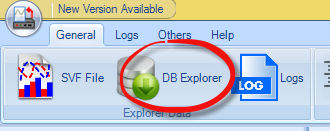
Explorer: From main toolbar, click DB Explorer
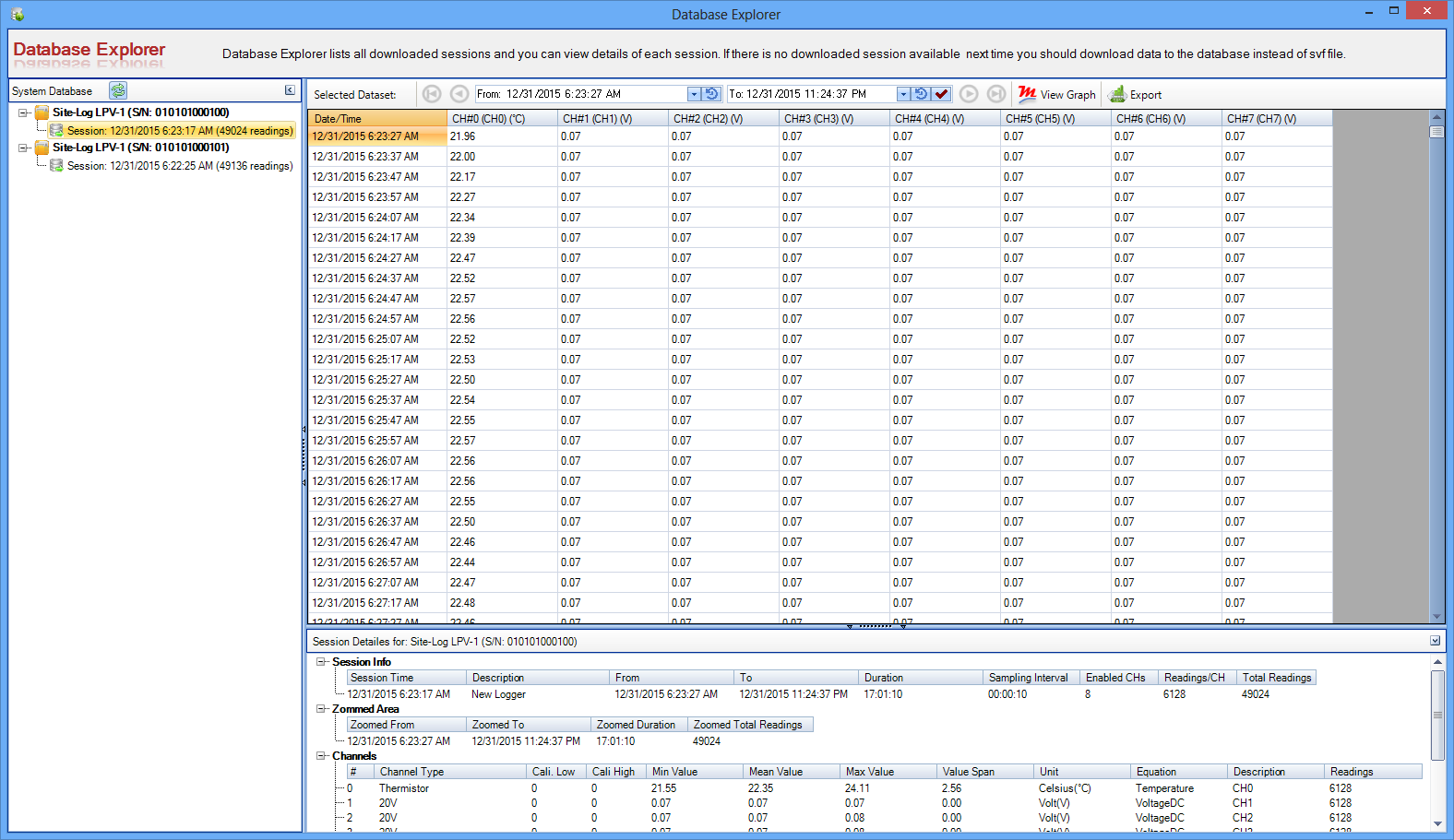
button: Below is the interface of Database Explorer: Left-side pane lists all data loggers and their logging sessions. Each
logging session contains all downloaded data. If you click on each session, in
the main area, it shows all datasets and the detailes about the logger and
session. If you clikc on a logger level node, in the main area, it shows all sessions'
information like this: If you want to view the graph of each session, you can click View
Graph button for that session. If you want to view tabular data click
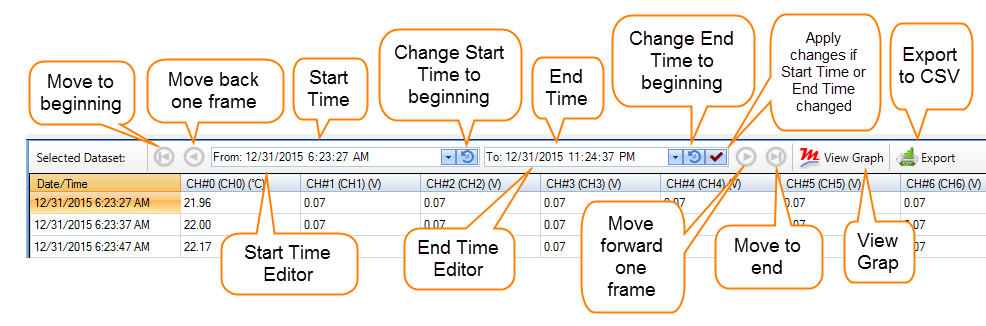
View Tabular button. In the tabular view area, you can browse through the database by the toolbar
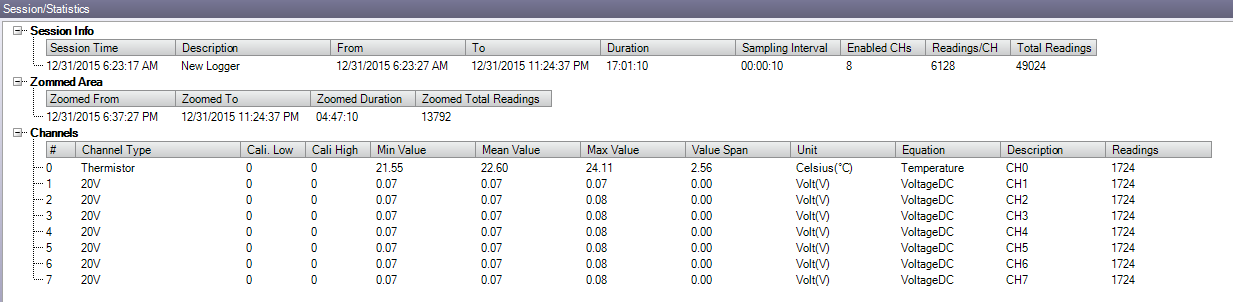
controls/buttons: Below screenshot shows the detailed information about the selected
logging session: